> For the complete documentation index, see [llms.txt](https://docs.stargaze.zone/llms.txt). Markdown versions of documentation pages are available by appending `.md` to page URLs; this page is available as [Markdown](https://docs.stargaze.zone/create-and-launch/what-is-arweave.md).
# What is Arweave?
Arweave is a network for **permanent file storage**. You pay once, and your files are stored forever — there's no monthly bill, no renewal, and no service that can quietly drop your data. Studio 2.0 uses Arweave to store your NFT artwork and metadata, so a collection you launch today is still fully intact years from now.
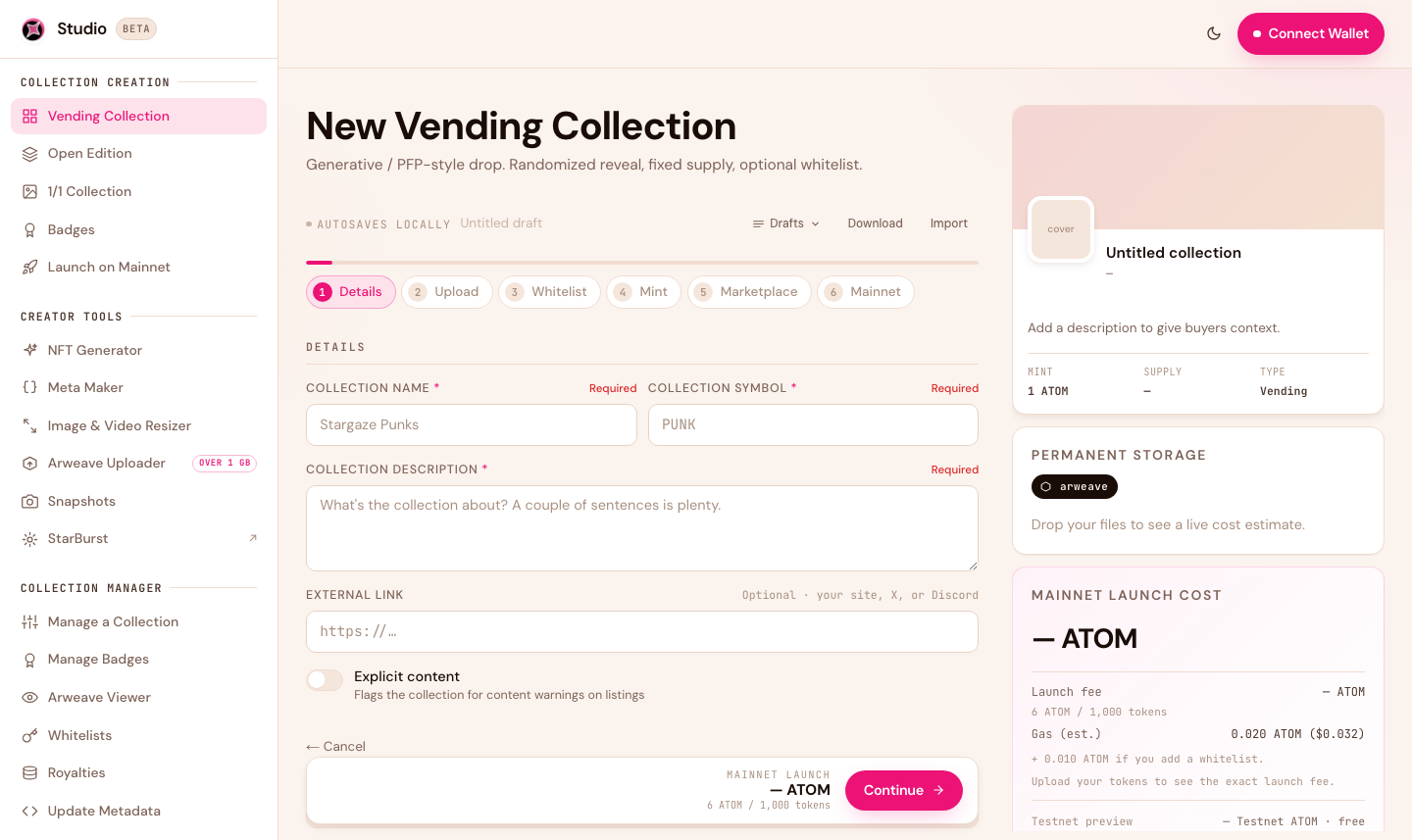
Studio 2.0 shows your permanent-storage and launch costs up front, before you upload.
## Why it matters for your NFTs
An NFT is really two parts:
1. **The token** — an entry on the blockchain that says who owns it. This lives on Stargaze forever.
2. **The artwork and metadata** — the image, animation, name, and traits. These are usually stored *off-chain*, and the token just points to them.
If that off-chain storage ever becomes unavailable, the token still exists on-chain — but the artwork it points to can't load. Permanent storage removes that risk entirely: your art is guaranteed to stay exactly where it is, for good.
{% hint style="info" %}
An NFT is only as permanent as the place its art is stored. Arweave makes that place permanent by design.
{% endhint %}
## Arweave vs. IPFS pinning
Another common way to store NFT files is **IPFS**, which keeps files available only as long as someone keeps "pinning" them. Pinning is an ongoing job — usually a paid service — so it depends on that service continuing. Studio 2.0 uses Arweave instead: you pay once, and there's nothing to keep renewing or maintaining.
| | IPFS pinning | Arweave (Studio 2.0) |
| ------------------------ | --------------------------------- | -------------------------------------- |
| **How long it's stored** | As long as it's actively pinned | Permanently, guaranteed at upload |
| **Ongoing cost** | Recurring pinning fees | None — pay once |
| **What you pay** | Subscription to a pinning service | A one-time fee in ATOM, shown up front |
## What an `ar://` link is
When Studio 2.0 uploads your files, each one gets a permanent address that looks like this:
```
ar://GRYCsHU7yF5jJ0P9K1e1Yb...
```
That `ar://` address is baked into your collection's on-chain records. Anyone — Stargaze, a marketplace, or a wallet — can resolve it through any Arweave gateway to load your art. Because the address is permanent and content-addressed, the file it points to can never be swapped or lost.
## How you pay for it
You don't need an Arweave account or a separate wallet. Studio 2.0 handles it for you:
1. Studio calculates the exact storage cost from your files' total size and shows it **before** you upload.
2. You pay that amount in **ATOM**, signed from your normal Stargaze wallet.
3. Studio uploads your files to Arweave and writes the permanent `ar://` addresses into your collection.
{% hint style="info" %}
**Storage is priced by size.** Arweave charges by how much data you store (a set rate per gigabyte), so a small, well-optimized collection is inexpensive while a large one with heavy media costs more. Run your files through the built-in [Resizer](/create-and-launch/creator-tools.md) first to bring the size — and the cost — down.
{% endhint %}
## How pricing works: AR, credits, and ATOM
Arweave's native token is **AR**, and storage is priced in AR — a one-time fee that keeps your data stored permanently. Because AR trades on the open market, the real cost of an upload tracks the **AR price**: as the market moves, the amount of AR needed to store the same data moves with it.
You don't have to deal with any of that. Studio 2.0 **abstracts the AR side away**:
* You're quoted and pay in **ATOM** — the token you already hold.
* On the backend, your ATOM is converted into Arweave upload **credits**, which settle the AR cost with the network on your behalf.
* The ATOM amount you see already reflects the current AR price and conversion, so you never need AR, an Arweave wallet, or to watch the market.
The result: permanent Arweave storage, paid for with Cosmos-native ATOM, in a single step.
## Arweave has no testnet
Arweave storage is always permanent — there's no throwaway "test" version. So the art you upload while rehearsing your collection on the Cosmos Hub testnet is the **same** art your mainnet collection uses. You pay to store it once, and when you promote from testnet to mainnet, Studio reuses those exact uploads with no second storage charge.
Next: [Creating a Collection](/create-and-launch/creating-a-collection.md) →
---
# Agent Instructions
This documentation is published with GitBook. GitBook is the documentation platform designed so that both humans and AI agents can read, navigate, and reason over technical content effectively. Learn more at gitbook.com.
## Querying This Documentation
If you need additional information that is not directly available in this page, you can query the documentation by asking a question.
Perform an HTTP GET request on the following URL with the `ask` and `goal` query parameters:
```
GET https://docs.stargaze.zone/create-and-launch/what-is-arweave.md?ask=&goal=
```
`ask` is the immediate question: it should be specific, self-contained, and written in natural language.
`goal` is what the user is ultimately trying to achieve, the reason they need the answer. Sharing it helps GitBook give you a better, more relevant answer. A goal is most helpful when it describes the outcome the user wants rather than restating the question. For example, with `ask=how do I create an API token`, a goal like `automate deployments from our CI pipeline` lets GitBook tailor the answer to that use case.
The response will contain a direct answer to the question and relevant excerpts and sources from the documentation.
Use this mechanism when the answer is not explicitly present in the current page, you need clarification or additional context, or you want to retrieve related documentation sections.