> For the complete documentation index, see [llms.txt](https://docs.stargaze.zone/llms.txt). Markdown versions of documentation pages are available by appending `.md` to page URLs; this page is available as [Markdown](https://docs.stargaze.zone/create-and-launch/studio.md).
# Stargaze Studio 2.0
Stargaze Studio 2.0 is the all-in-one tool for creating, launching, and managing NFT collections on Stargaze — no coding required. It's a ground-up rebuild of the original Studio, with **permanent, pay-once storage on Arweave** built in from the start.
{% hint style="info" %}
New to Arweave? [What is Arweave?](/create-and-launch/what-is-arweave.md) explains how Studio 2.0 stores your art and metadata permanently.
{% endhint %}
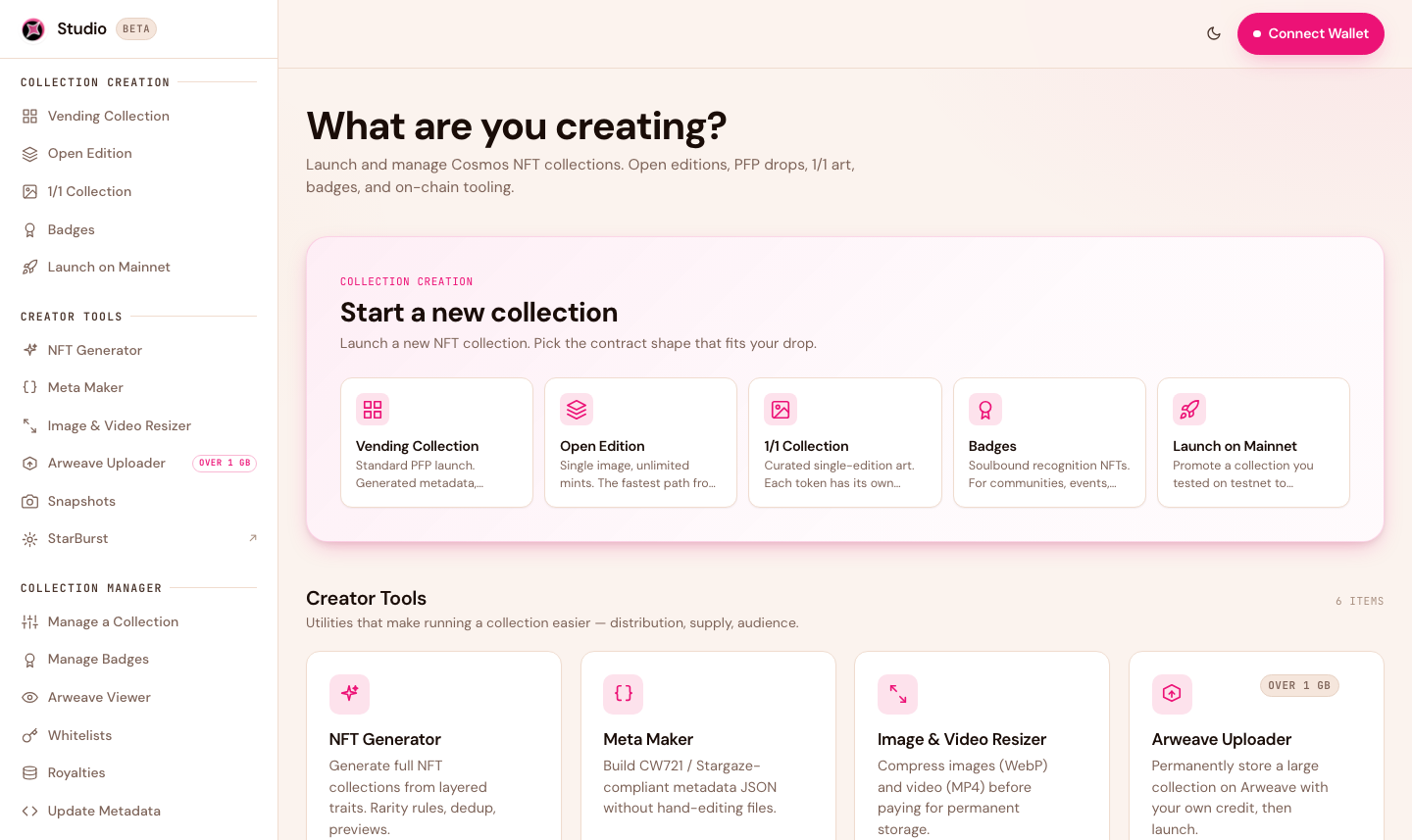
The Studio 2.0 home screen — creation flows, creator tools, and the collection manager in one place.
## What's new in 2.0
* **Permanent Arweave storage** — your art and metadata are stored once and kept forever, with no monthly pinning fees and nothing to renew.
* **Pay in ATOM** — storage is quoted and paid in Cosmos-native ATOM, right in the app. No credit cards, no separate storage account.
* **Launch on testnet, promote to mainnet** — rehearse the on-chain steps for free on testnet, then go live on mainnet without re-uploading. Your art is stored permanently on Arweave once and reused on both.
* **A full collection manager** — edit prices, mint times, whitelists, royalties, and metadata after launch.
* **Built-in creator tools** — generate art, build metadata, and snapshot holders without leaving Studio.
## What you can build
| Collection type | Best for |
| -------------------- | -------------------------------------------------------------------------------- |
| **PFP / Generative** | Large profile-picture drops built from layered traits (e.g. 1,000–10,000 pieces) |
| **Open Edition** | Unlimited (or time-boxed) mints of a single artwork |
| **1/1** | A single, one-of-a-kind piece |
## Testnet first, then mainnet
The golden rule: **rehearse on testnet, then promote to mainnet.** The on-chain steps — creating the collection, minting, whitelists — are free to practice on the Cosmos Hub testnet. Storage works differently: Arweave has no testnet, so your art and metadata upload to permanent storage for real, once — and those same files carry straight to mainnet.
## Get started
1. Open [studio.stargaze.zone](https://studio.stargaze.zone).
2. **Connect your wallet** — click **Connect Wallet** (top right) and connect **Keplr**, your normal Cosmos wallet. Studio never holds your keys; you approve each action as you go.
3. **Rehearse on testnet** — pick a collection type, build it exactly as you want, and launch it on testnet. You don't need to find testnet ATOM; while you're creating a collection, the app tops up your testnet balance automatically every 24 hours. Preview the drop and walk the pre-launch checklist.
4. **Promote to mainnet** — when it looks right, use **Launch on Mainnet** to publish the same collection to Cosmos Hub mainnet in one step. Studio reuses your Arweave uploads, with no second storage charge.
{% hint style="info" %}
**Storage is the exception to "testnet is free."** Arweave has no testnet, so uploading your art and metadata stores them permanently — for real — even during a testnet rehearsal. The upside: you pay for storage only once, and those exact files are reused on mainnet. See [What is Arweave?](/create-and-launch/what-is-arweave.md)
{% endhint %}
## What you'll pay
* **On-chain testnet fees:** free — the app tops up your testnet ATOM automatically.
* **Storage (Arweave):** a one-time fee when your files upload, priced by total file size and never charged again — there's no Arweave testnet.
* **On-chain mainnet fees:** the collection-creation fee (varies by type and size) plus network gas, in real ATOM.
Everything is shown live in the app before you confirm. Full breakdown in [Costs & Fees](/create-and-launch/costs-and-fees.md).
## Where to go next
* [Before You Start](/create-and-launch/before-you-start.md) — prepare your artwork, metadata, and plan
* [Creating a Collection](/create-and-launch/creating-a-collection.md) — the collection types, step by step
* [Whitelists](/create-and-launch/whitelists.md) · [Managing Your Collection](/create-and-launch/managing-your-collection.md) · [Launch Day & Beyond](/create-and-launch/launch-and-beyond.md)
* [Creator Tools](/create-and-launch/creator-tools.md) · [Developer Tools](/create-and-launch/developer-tools.md) · [Guidelines](/create-and-launch/guidelines.md)
---
# Agent Instructions
This documentation is published with GitBook. GitBook is the documentation platform designed so that both humans and AI agents can read, navigate, and reason over technical content effectively. Learn more at gitbook.com.
## Querying This Documentation
If you need additional information that is not directly available in this page, you can query the documentation by asking a question.
Perform an HTTP GET request on the following URL with the `ask` and `goal` query parameters:
```
GET https://docs.stargaze.zone/create-and-launch/studio.md?ask=&goal=
```
`ask` is the immediate question: it should be specific, self-contained, and written in natural language.
`goal` is what the user is ultimately trying to achieve, the reason they need the answer. Sharing it helps GitBook give you a better, more relevant answer. A goal is most helpful when it describes the outcome the user wants rather than restating the question. For example, with `ask=how do I create an API token`, a goal like `automate deployments from our CI pipeline` lets GitBook tailor the answer to that use case.
The response will contain a direct answer to the question and relevant excerpts and sources from the documentation.
Use this mechanism when the answer is not explicitly present in the current page, you need clarification or additional context, or you want to retrieve related documentation sections.