> For the complete documentation index, see [llms.txt](https://docs.stargaze.zone/llms.txt). Markdown versions of documentation pages are available by appending `.md` to page URLs; this page is available as [Markdown](https://docs.stargaze.zone/create-and-launch/developer-tools.md).

# Developer Tools

Studio 2.0 includes a set of advanced, on-chain tools for power users and builders. You don't need these to launch a normal collection — but they're there when you want direct control.

{% hint style="warning" %}
These tools broadcast real transactions to the blockchain. Use the **testnet** toggle to experiment safely before doing anything on mainnet.
{% endhint %}

## Contract Console

<figure><img src="/files/GvCWz3qRObFFMf68jMVd" alt="Contract Console in Studio 2.0"><figcaption><p>Query and execute against any CosmWasm contract directly.</p></figcaption></figure>

Send raw queries and execute messages against any CosmWasm contract. Useful for inspecting contract state or running actions Studio doesn't expose in its guided flows.

[Open the Contract Console →](https://studio.stargaze.zone/contracts)

## Token Factory

<figure><img src="/files/cuY1H8MQiQppnoFOtfde" alt="Token Factory in Studio 2.0"><figcaption><p>Create a native token denom via the chain's token factory module.</p></figcaption></figure>

Create a native token denomination using the chain's `x/tokenfactory` module. Handy for projects that need their own native denom alongside their NFTs.

[Open the Token Factory →](https://studio.stargaze.zone/tokenfactory/create)

## Oracle

<figure><img src="/files/ZVZPm5Oex4vY7DmgmSmw" alt="Oracle tool in Studio 2.0"><figcaption><p>Instantiate and interact with an on-chain oracle contract.</p></figcaption></figure>

Instantiate and interact with an on-chain oracle — create it, execute against it, and post attestations. An advanced building block for apps that need verifiable on-chain data.

[Open the Oracle tool →](https://studio.stargaze.zone/oracle)

## Authz

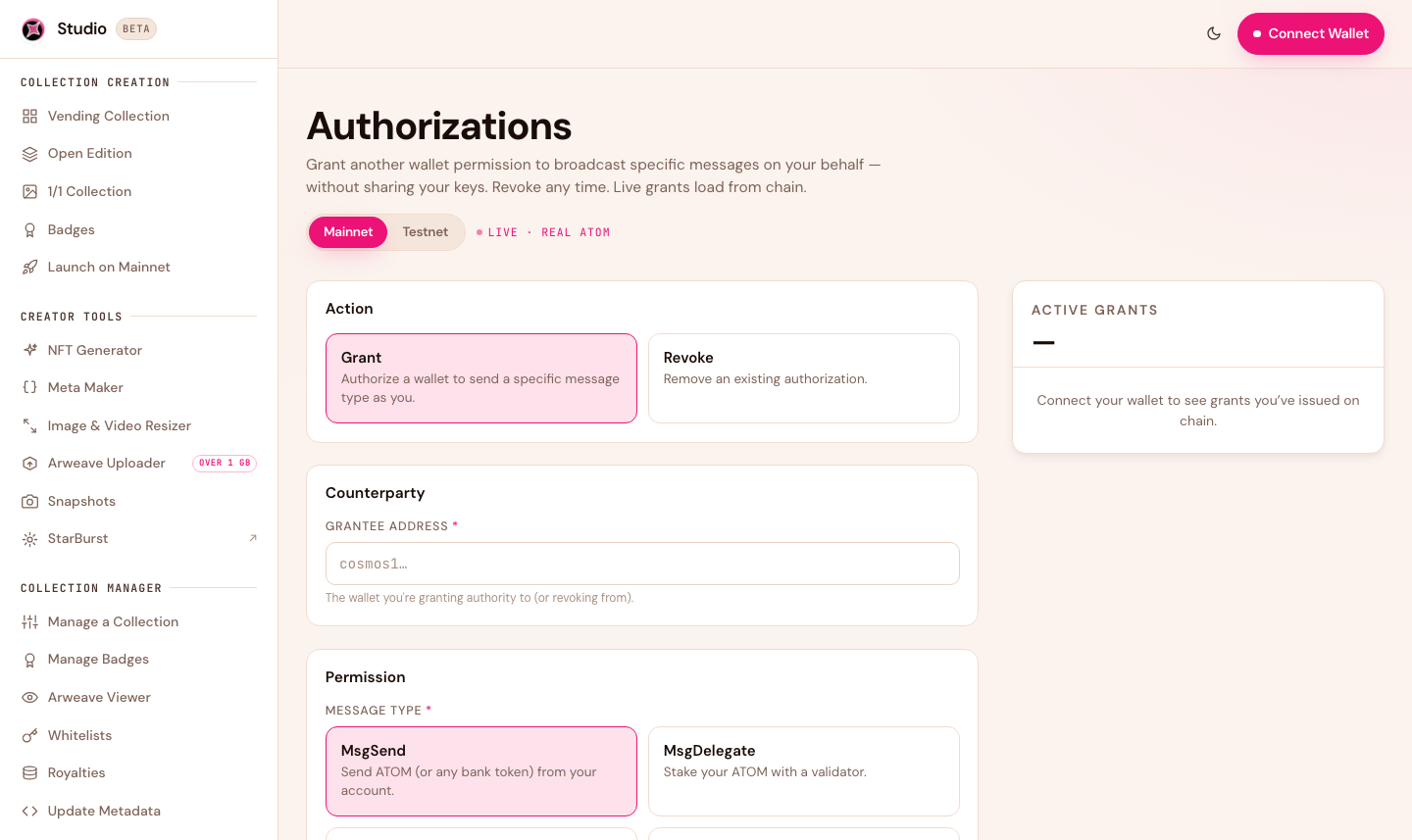
<figure><img src="/files/srCkiCncjO4sM8pr8YNJ" alt="Authz grants in Studio 2.0"><figcaption><p>Grant and revoke on-chain permissions with authz.</p></figcaption></figure>

Manage `authz` grants — delegate specific on-chain permissions to another address for a set time, and revoke them when you're done. Useful for automation and delegated operations.

[Open Authz →](https://studio.stargaze.zone/authz)

## Next steps

* [Developers overview](/developers/overview.md) — contract references and integration docs
* [Creating a Collection](/create-and-launch/creating-a-collection.md) — the guided, no-code flows


---

# Agent Instructions
This documentation is published with GitBook. GitBook is the documentation platform designed so that both humans and AI agents can read, navigate, and reason over technical content effectively. Learn more at gitbook.com.

## Querying This Documentation
If you need additional information that is not directly available in this page, you can query the documentation dynamically by asking a question.

Perform an HTTP GET request on the current page URL with the `ask` query parameter, and the optional `goal` query parameter:

```
GET https://docs.stargaze.zone/create-and-launch/developer-tools.md?ask=<question>&goal=<endgoal>
```

`ask` is the immediate question: it should be specific, self-contained, and written in natural language.
`goal` is optional and describes the broader end goal you are ultimately trying to accomplish on behalf of the user. GitBook uses it to tailor the answer towards what is most useful for that goal.

The response will contain a direct answer to the question and relevant excerpts and sources from the documentation.

Use this mechanism when the answer is not explicitly present in the current page, you need clarification or additional context, or you want to retrieve related documentation sections.