> For the complete documentation index, see [llms.txt](https://docs.stargaze.zone/llms.txt). Markdown versions of documentation pages are available by appending `.md` to page URLs; this page is available as [Markdown](https://docs.stargaze.zone/create-and-launch/creator-tools.md).

# Creator Tools

Studio 2.0 bundles the utilities you need to prepare and run a collection — generating art, building metadata, optimizing files, and snapshotting holders — so you don't have to leave the app or hand-edit files.

## NFT Generator

<figure><img src="/files/ceDdK09HNdg2BVjBp1go" alt="NFT Generator in Studio 2.0"><figcaption><p>Layer traits, set rarities, and generate a full collection — art and metadata together — in your browser.</p></figcaption></figure>

Build a full generative collection from a folder of trait layers. Set rarity weights, add exclusion rules and required pairs, reserve 1/1s, and generate the artwork **and** its metadata together — ready to upload and mint via Vending. Everything runs in your browser (up to 2,000 tokens in-app, more via generate-to-folder).

[Open the NFT Generator →](https://studio.stargaze.zone/stargen)

## Meta Maker

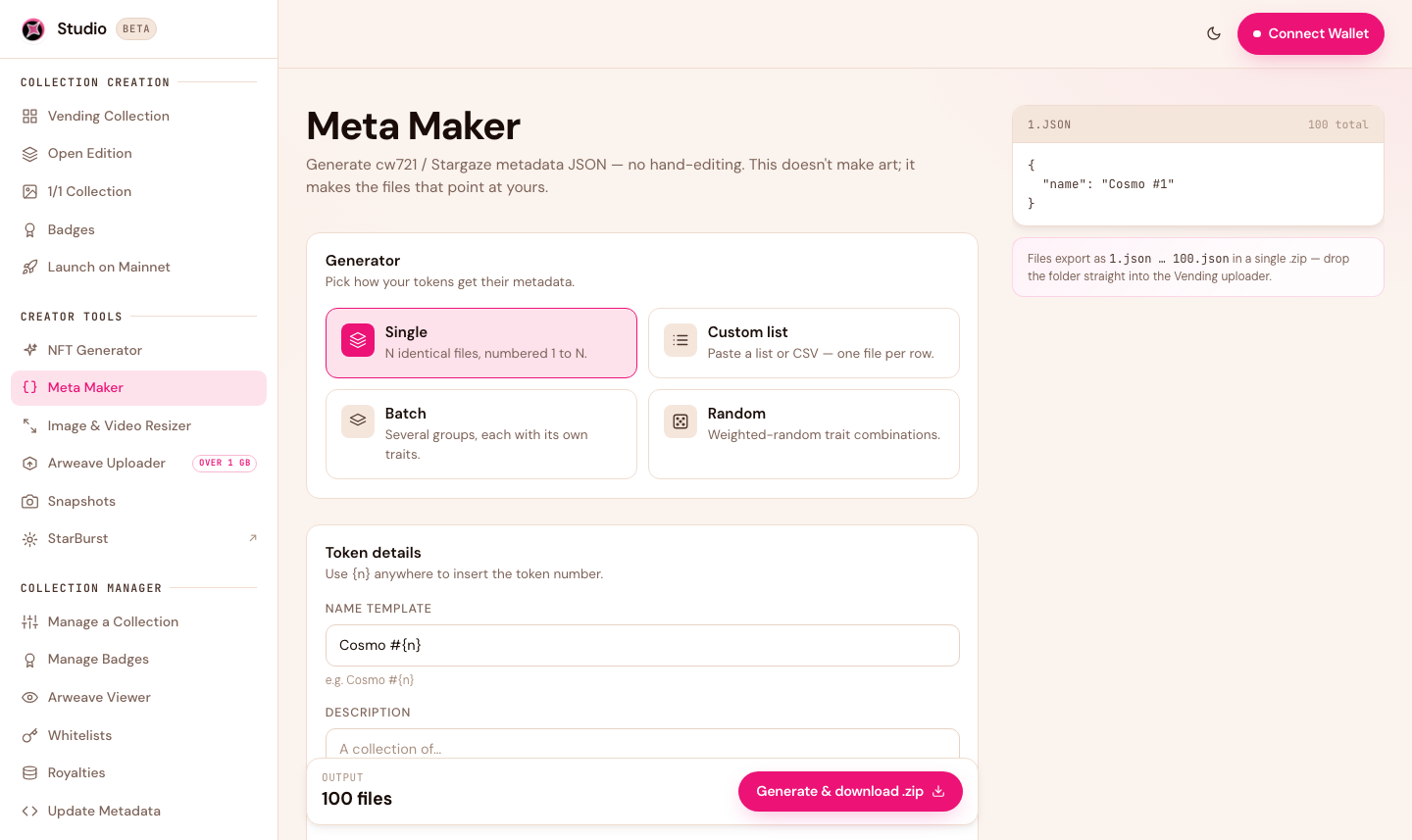
<figure><img src="/files/pTBCFFjNy38ITfsBNyt1" alt="Meta Maker in Studio 2.0"><figcaption><p>Generate CW721 / Stargaze-compliant metadata JSON without hand-editing files.</p></figcaption></figure>

Generate correctly-formatted metadata JSON without touching a text editor. Modes include a single repeated template, a custom list (paste names or a CSV), batches with their own traits, and weighted-random combinations. It exports the metadata as a set of numbered JSON files you can use for your collection.

[Open Meta Maker →](https://studio.stargaze.zone/meta-maker)

## Image & Video Resizer

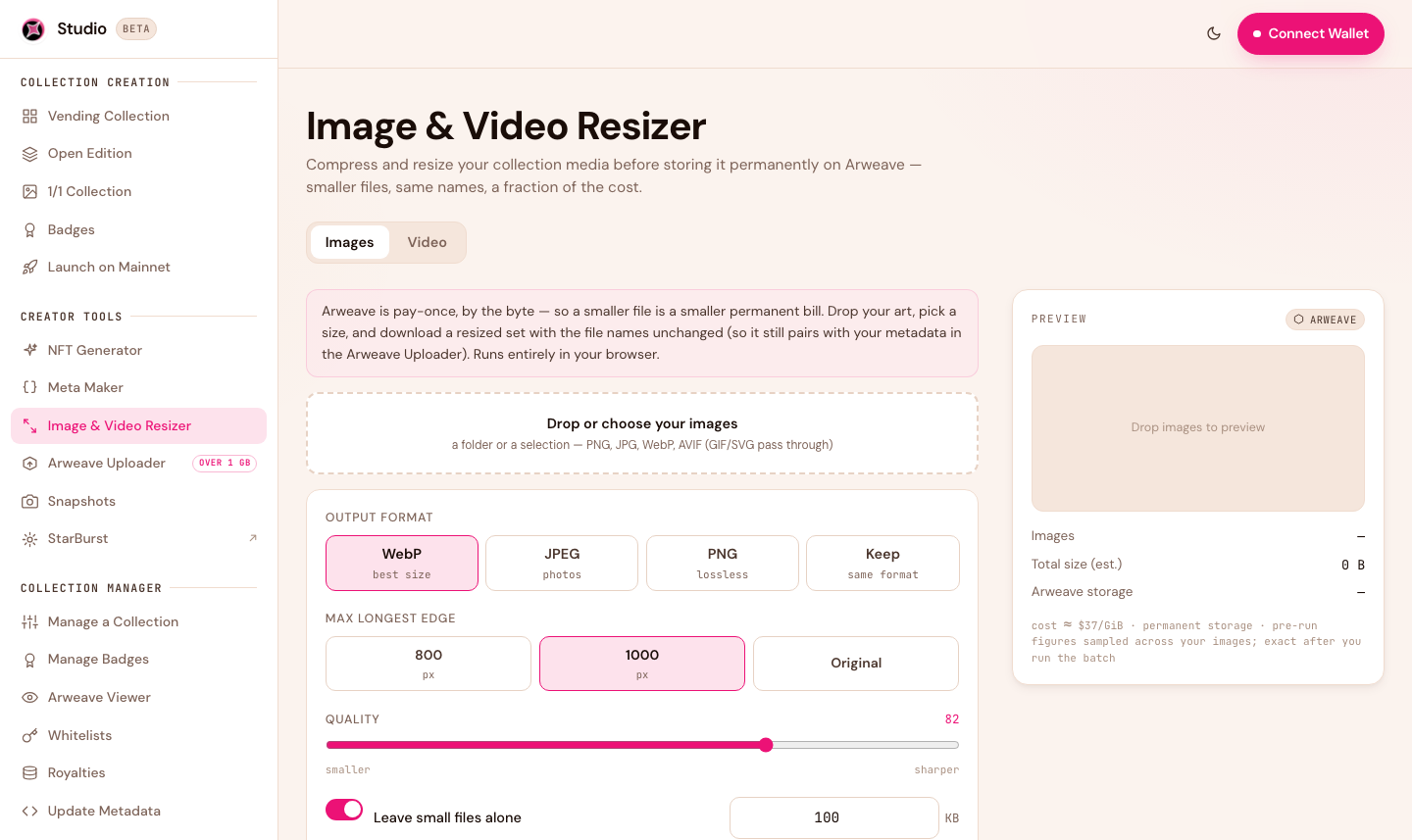
<figure><img src="/files/G8wivBwYlsdTTFyIQzBV" alt="Image and Video Resizer in Studio 2.0"><figcaption><p>Compress images and video before paying for permanent storage.</p></figcaption></figure>

Compress your images (to WebP) and video (to MP4) before you upload. Because Arweave storage is priced by total file size, shrinking your files first is the simplest way to lower your permanent-storage cost — often significantly.

[Open the Resizer →](https://studio.stargaze.zone/resizer)

## Snapshots

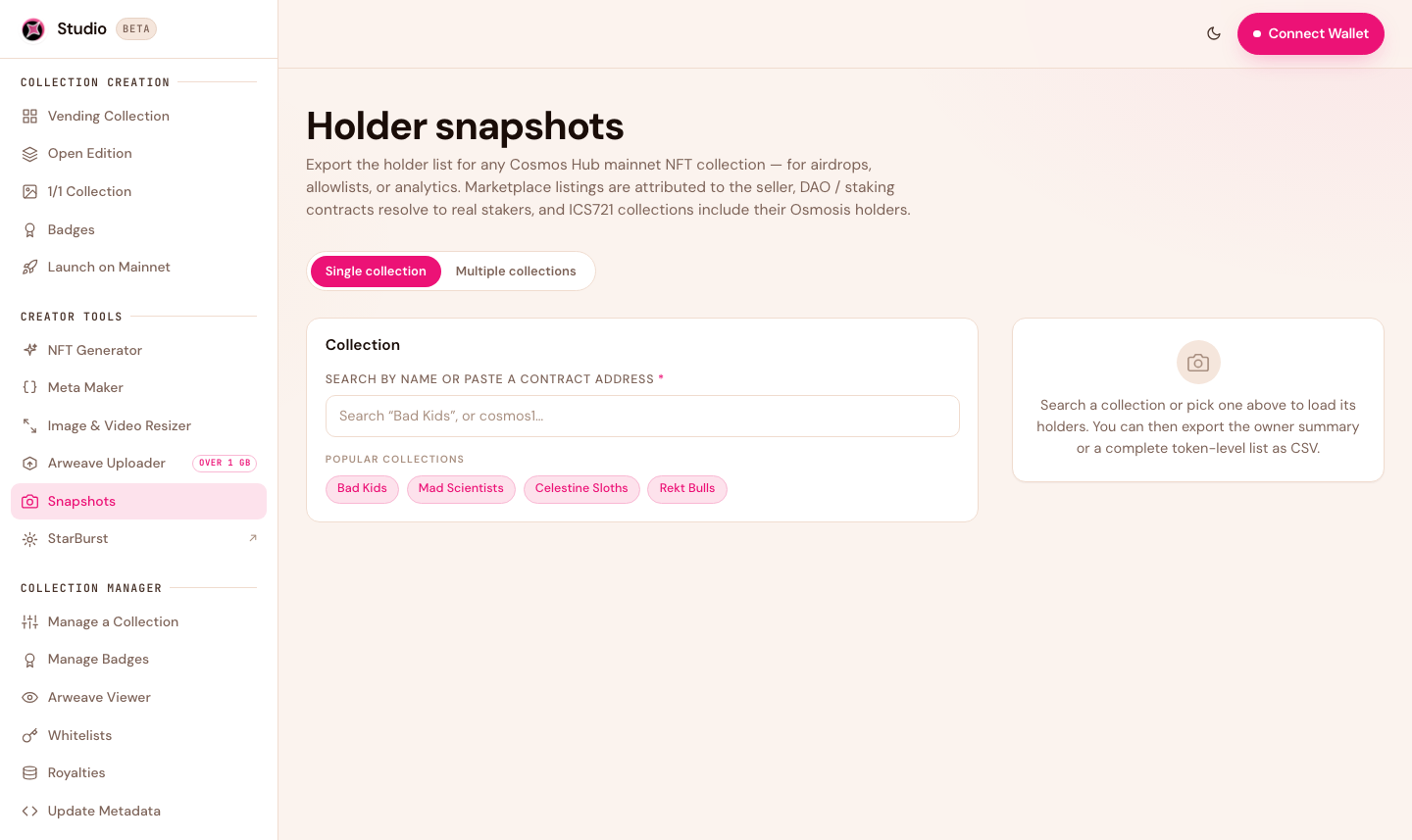
<figure><img src="/files/2rvNJRnW6SSZQWDbEpdD" alt="Holder Snapshots in Studio 2.0"><figcaption><p>Export a holder or owner list from any collection — ready for airdrops and allowlists.</p></figcaption></figure>

Export a holder or owner list from any Cosmos Hub collection as a CSV — the foundation for airdrops and whitelists. Snapshots resolves staking/DAO contracts to real holders, merges holdings across Cosmos Hub and Osmosis for bridged collections, and offers an addresses-only export for allowlists.

[Open Snapshots →](https://studio.stargaze.zone/snapshots)

## Arweave Uploader

<figure><img src="/files/eNqgmS463wR9588K3kTG" alt="Arweave Uploader in Studio 2.0"><figcaption><p>Permanently store a large collection on Arweave with your own credit, then launch.</p></figcaption></figure>

For large or advanced uploads (including collections over 1 GB), the Uploader stores your files permanently on Arweave and gives you back the permanent addresses to launch with.

[Open the Uploader →](https://studio.stargaze.zone/uploader)

## Next steps

* [Creating a Collection](/create-and-launch/creating-a-collection.md) — turn your generated art into a live drop
* [Whitelists](/create-and-launch/whitelists.md) — use a snapshot as an allowlist


---

# Agent Instructions
This documentation is published with GitBook. GitBook is the documentation platform designed so that both humans and AI agents can read, navigate, and reason over technical content effectively. Learn more at gitbook.com.

## Querying This Documentation
If you need additional information that is not directly available in this page, you can query the documentation dynamically by asking a question.

Perform an HTTP GET request on the current page URL with the `ask` query parameter, and the optional `goal` query parameter:

```
GET https://docs.stargaze.zone/create-and-launch/creator-tools.md?ask=<question>&goal=<endgoal>
```

`ask` is the immediate question: it should be specific, self-contained, and written in natural language.
`goal` is optional and describes the broader end goal you are ultimately trying to accomplish on behalf of the user. GitBook uses it to tailor the answer towards what is most useful for that goal.

The response will contain a direct answer to the question and relevant excerpts and sources from the documentation.

Use this mechanism when the answer is not explicitly present in the current page, you need clarification or additional context, or you want to retrieve related documentation sections.